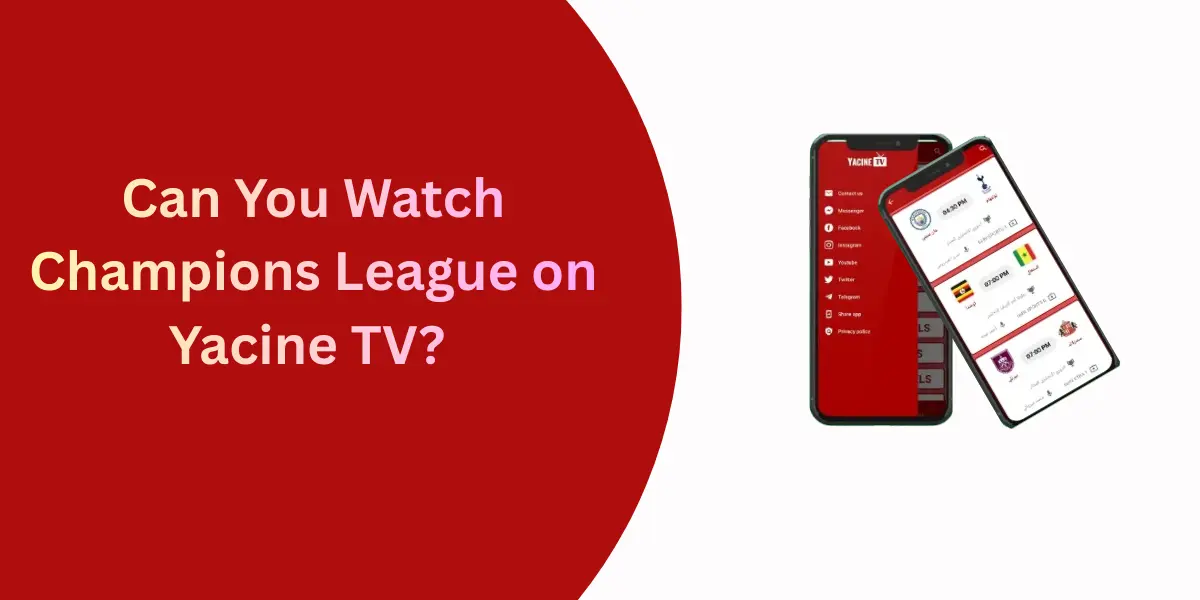
Yacine TV has gained massive popularity among users who want free access to live sports, football matches, movies and international TV channels. As Firestick has become one of the most widely used streaming devices a very common question appears in search results.
What Is Yacine TV and Why Is It So Popular?
Yacine TV is a third-party Android streaming application that allows users to watch:
- Live football matches
- Sports channels (including international leagues)
- Entertainment and movie channels
- News and regional TV networks
It is especially popular among users searching for free sports streaming, particularly football fans. However, Yacine TV is originally designed for Android mobile phones not TV devices.
This design limitation is the main reason users face issues on Firestick, something most competitors do not explain clearly.
Is Yacine TV Officially Available on Firestick?
No! Yacine TV is not available on the Amazon App Store.
Real Reason:
- Firestick runs on Fire OS, a modified Android system
- Amazon only allows officially approved apps
- Yacine TV is a third-party APK
- It is not optimized or licensed for Amazon’s platform
Because of this, Yacine TV must be sideloaded manually which comes with limitations.
Can Firestick Actually Run Yacine TV?
Yes, Firestick can run Android APK files, including Yacine TV but not perfectly.
- The app UI is made for touch screens
- Firestick remote does not fully support touch-based navigation
- Some buttons are hard to select
- Certain streams may not scale well on TV screens
So while installation is possible, usability is not guaranteed.
Requirements Before Installing Yacine TV on Firestick
Before installation, make sure you have:
- Amazon Firestick or Fire TV device
- Stable internet connection
- Amazon account logged in
- Downloader app installed
Recommended
- Bluetooth mouse (for easy navigation)
- Mouse toggle app
- VPN for privacy and security
These tools greatly improve the experience.
Enable Installation from Unknown Sources
- Open Settings
- Go to My Fire TV
- Click Developer Options
- Turn ON:
- Apps from Unknown Sources
- ADB Debugging
Install Downloader App
- Open Amazon App Store
- Search for Downloader
- Install and open the app
- Allow required permissions
Downloader is the safest way to sideload APKs on Firestick.
Download and Install Yacine TV APK
- Open Downloader
- Enter a trusted Yacine TV APK source
- Download the APK
- Click Install
- After installation, delete the APK file to save storage
Launch Yacine TV
- Go to Apps & Channels
- Scroll down to Yacine TV
- Open the app
- Move it to the top for easier access.
Does Yacine TV Work Well on Firestick?
What Works:
- App installs successfully
- Live sports streams load
- Free content access
- Works on Firestick 4K and Fire TV Cube
What Doesn’t Work Well:
- Remote navigation is difficult
- Some menus are not selectable
- App occasionally freezes
- Buffering on HD streams
- No official Firestick support or updates
If you expect a smooth Netflix-like experience, you may be disappointed.
How to Fix Navigation Problems
To use Yacine TV properly on Firestick:
- Connect a Bluetooth mouse
- Use a mouse toggle app
- Use Android remote control apps
- Avoid zooming or scaling settings
These solutions make the app usable, something competitors rarely explain.
Potential Risks:
- Fake APK files with malware
- Privacy risks while streaming
- Unknown content sources
- No official security audits
How to Stay Safe:
- Download APK only from trusted sources
- Avoid mod or cracked versions
- Never enter personal information
- Use a VPN to protect privacy
- Keep Firestick updated
Important: Streaming copyrighted content may be illegal in some regions. Always follow local laws.
Common Issues & Practical Fixes
App Not Opening
- Restart Firestick
- Clear cache
- Reinstall APK
Black Screen or No Stream
- Switch stream server
- Use older APK version
- Check internet stability
Remote Not Working
- Enable mouse toggle
- Use Bluetooth mouse
- Use Android TV remote apps
Better Alternatives to Yacine TV for Firestick
Some best alternatives to Yacine TV for Firestick are here:
Live Net TV
- Remote-friendly interface
- Better TV optimization
- Stable sports streams
HD Streamz
- Lightweight app
- Simple navigation
- Works smoothly on Firestick
RedBox TV
- Easy layout
- Faster loading
- Better remote support
Kodi (Legal Add-ons)
- Fully Firestick-optimized
- Highly customizable
- Supports legal content sources
Conclusion
Yes, you can install Yacine TV on Firestick, but it is not the best-optimized option for TV streaming. While the app works and offers free sports content, it has navigation issues, performance limitations and safety concerns that competitors often ignore.
If you are comfortable with sideloading and external navigation tools, Yacine TV can be useful. However, users who want a smooth and reliable Firestick experience should consider better-optimized alternatives.
FAQs
Can you install Yacine TV directly from the Amazon App Store?
No, it is not officially available.
Is Yacine TV free on Firestick?
Yes, it is completely free.
Does Yacine TV support Firestick remote?
Not properly. A mouse works better.
Is Yacine TV legal to use?
Legality depends on your location and content usage.
Is Yacine TV Safe to Use on Firestick?
Safety depends on how and where you install it.
Can Yacine TV be installed on Fire TV Cube?
Yes, using the same sideloading method.